

Using Burp to exploit a Blind SQL Injection
How to use Burp Suite to automate the process of extracting information from a SQL database through a Blind SQL Injection.

Many times I find myself having to write my own tool in order to exploit a Blind SQL Injection which public tools normally would not be able to exploit. It may be because it is behind a WAF/IDS, or for a SQL challenge, or because it is Base64 encoded or some other peculiar situation where normal SQLi attack tools just will not work.
What I will demonstrate in this post is a way of taking a shortcut and avoiding having to create your own program by using Burp Suite which will hopefully save you valuable time. I highly recommend Burp for anyone that is serious about pen-testing. The Pro version is very affordable and has a great ton a features which makes auditing a breeze (the easter egg is hilarious too).
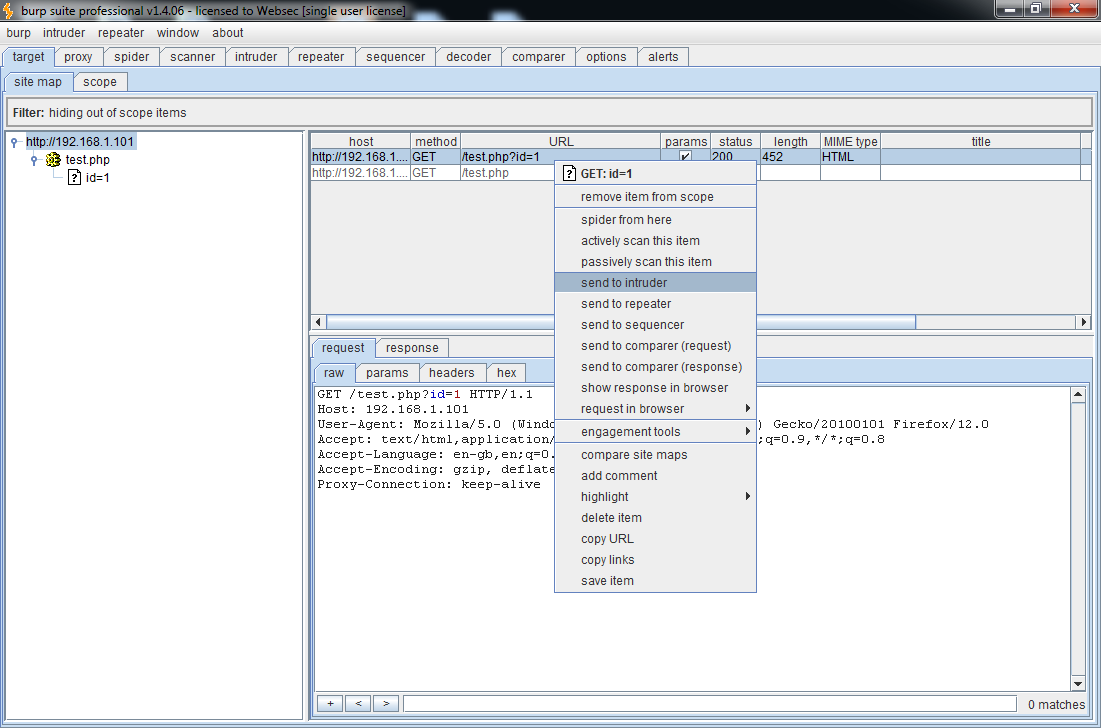
Once a target has been set in the scope and a SQL Injection has been located, we send the URL to Burp's Intruder.
Next step is to define the SQL Injection and the position where the character to be brute-forced will be. For this example, I will be extracting the database().

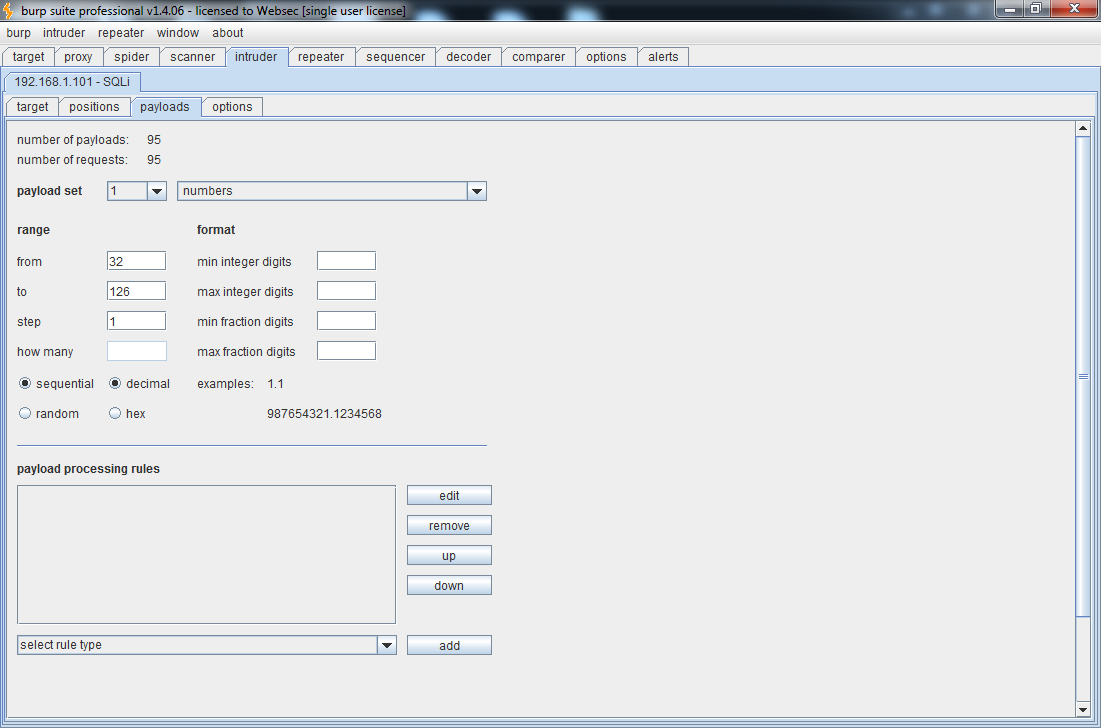
After setting the position, we need to define the payload. We select numbers as our payload and define a range from 32 to 126. If you look at the Ascii table, this range accounts for all the characters that we need.
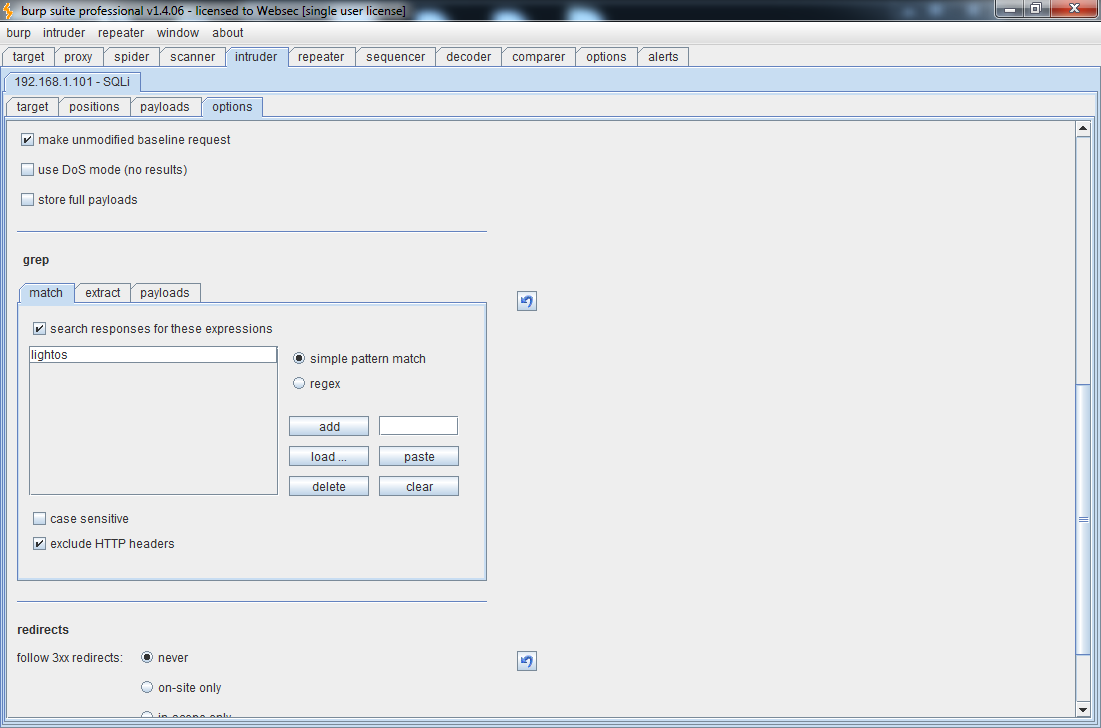
The last step before launching the attack is to set a string to be matched when the query returns true, just like you would with any other SQLi tool. In this case, the string to be matched will be 'lightos'.
Now we can go to the menu under Intruder and select Start Attack. This will open a window that will display the results from each request. When the string is matched, it will clearly be displayed and that will indicate which is the correct character.
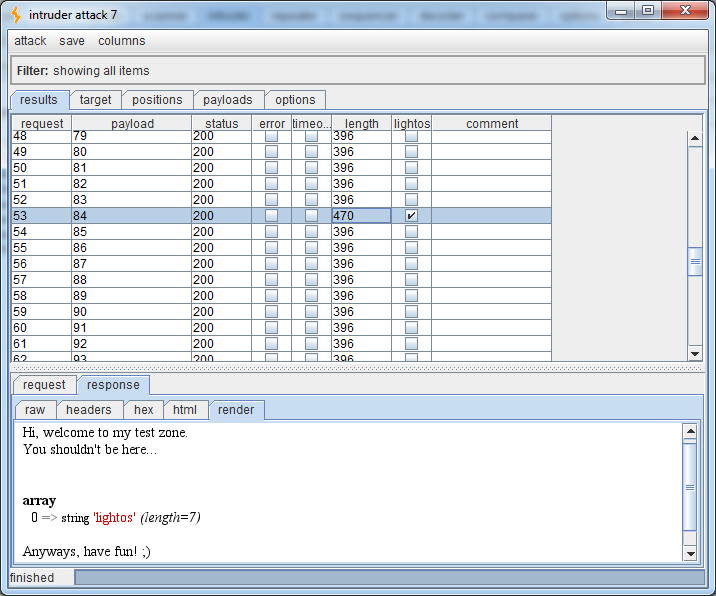
The string was successfully matched on number 84, which is the decimal representation of the letter T. This is the first letter of database(), which value is Test.
I have included the following video to better demonstrate the process:
Follow our research
Get new articles and security advisories as soon as they are published.


